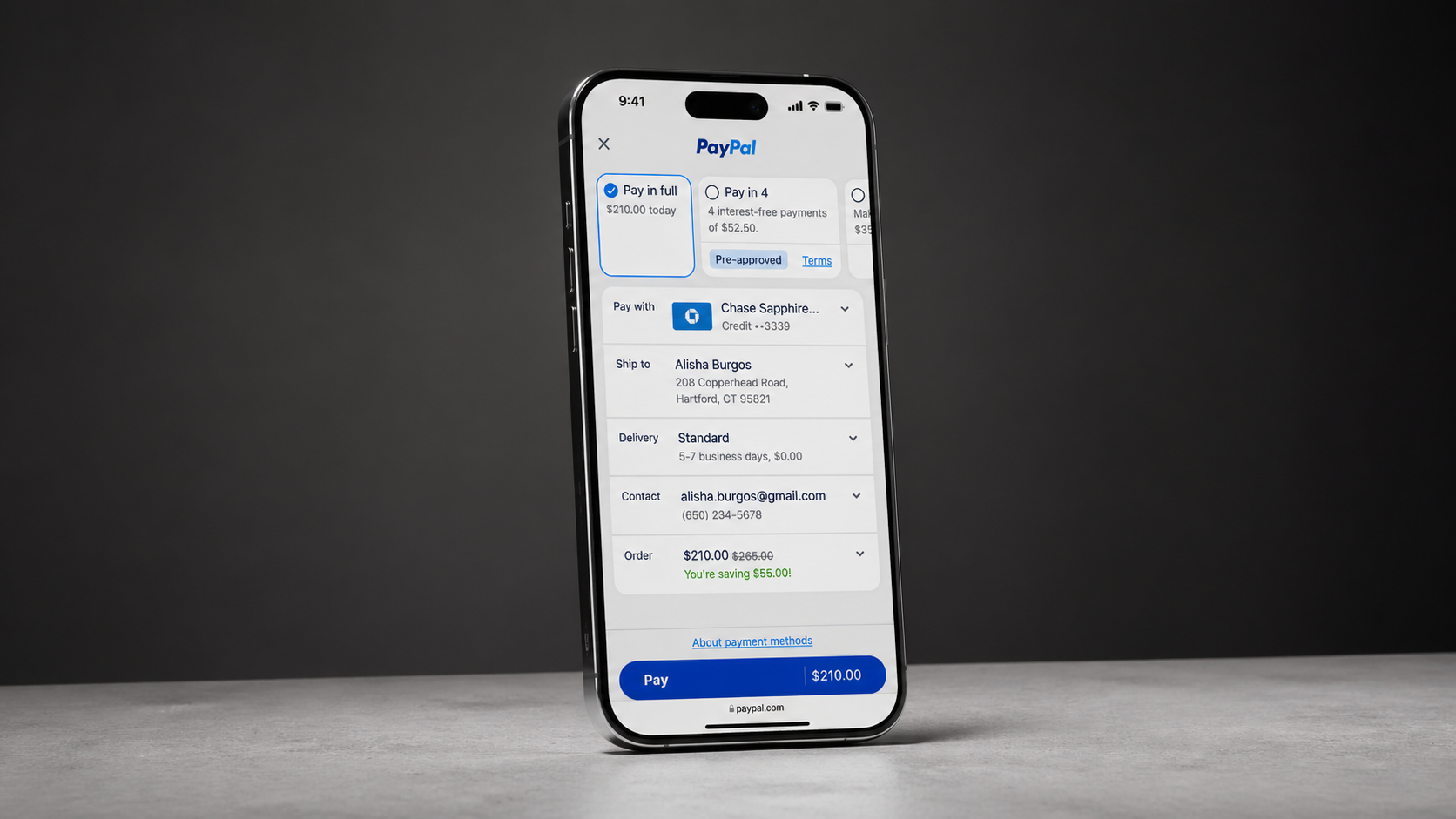
Scaling Monthly Invoicing Adoption
Moving high-spend
advertisers
beyond
credit card limits
- My Role
- Led a six-week redesign of Meta Monthly Invoicing with Engineering, Finance, and Design. Moved discovery to high-traffic business surfaces and reduced the application from nine screens to three by reusing verified data. Used Metamate AI from discovery through handoff.
- Application
- 9 → 3
- Screens delivered
- Conversion
- 97%
- From a 39% baseline
- Savings
- ~7.5%
- Annually
The Opportunity
A valuable product was hidden behind two kinds of friction
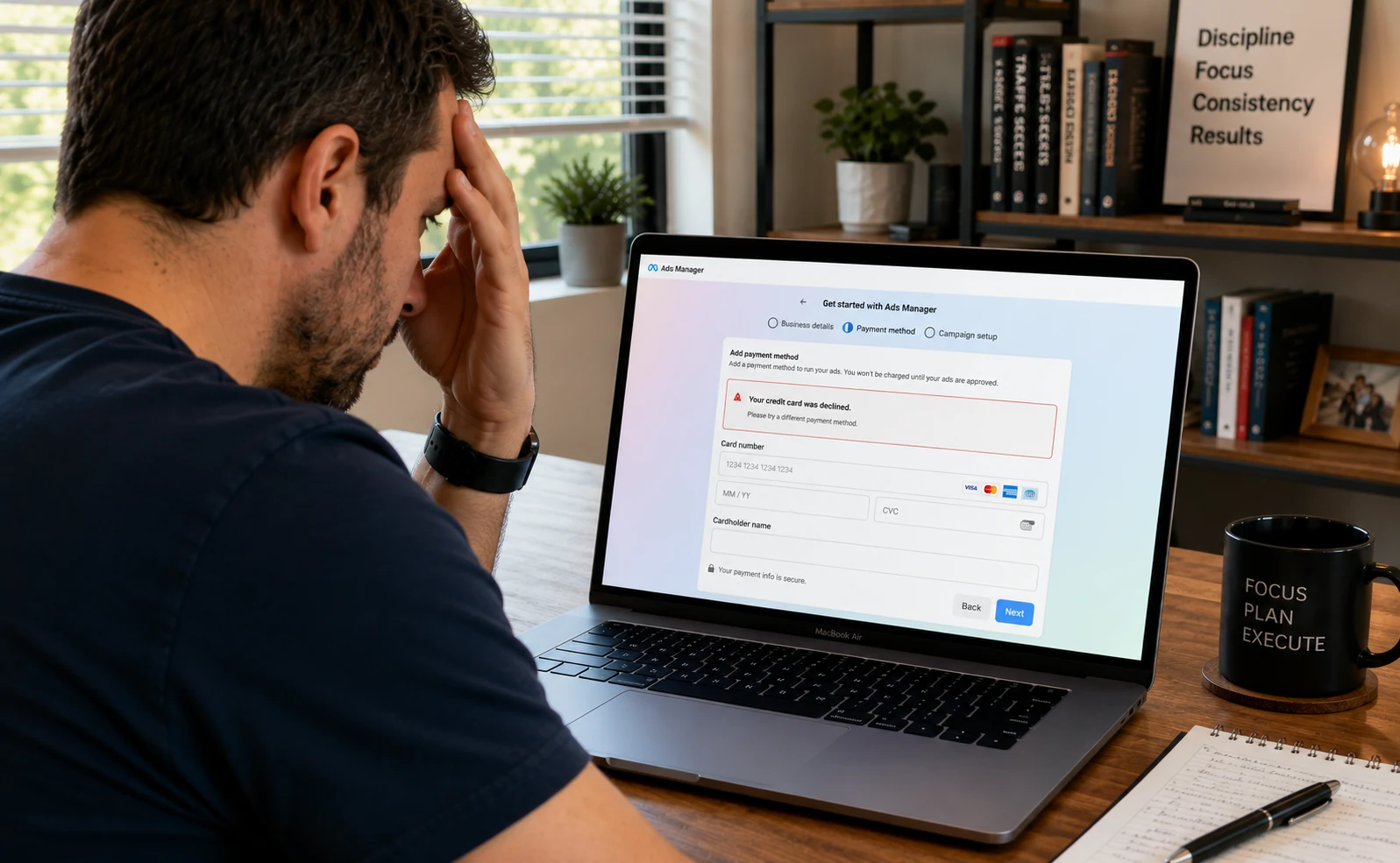
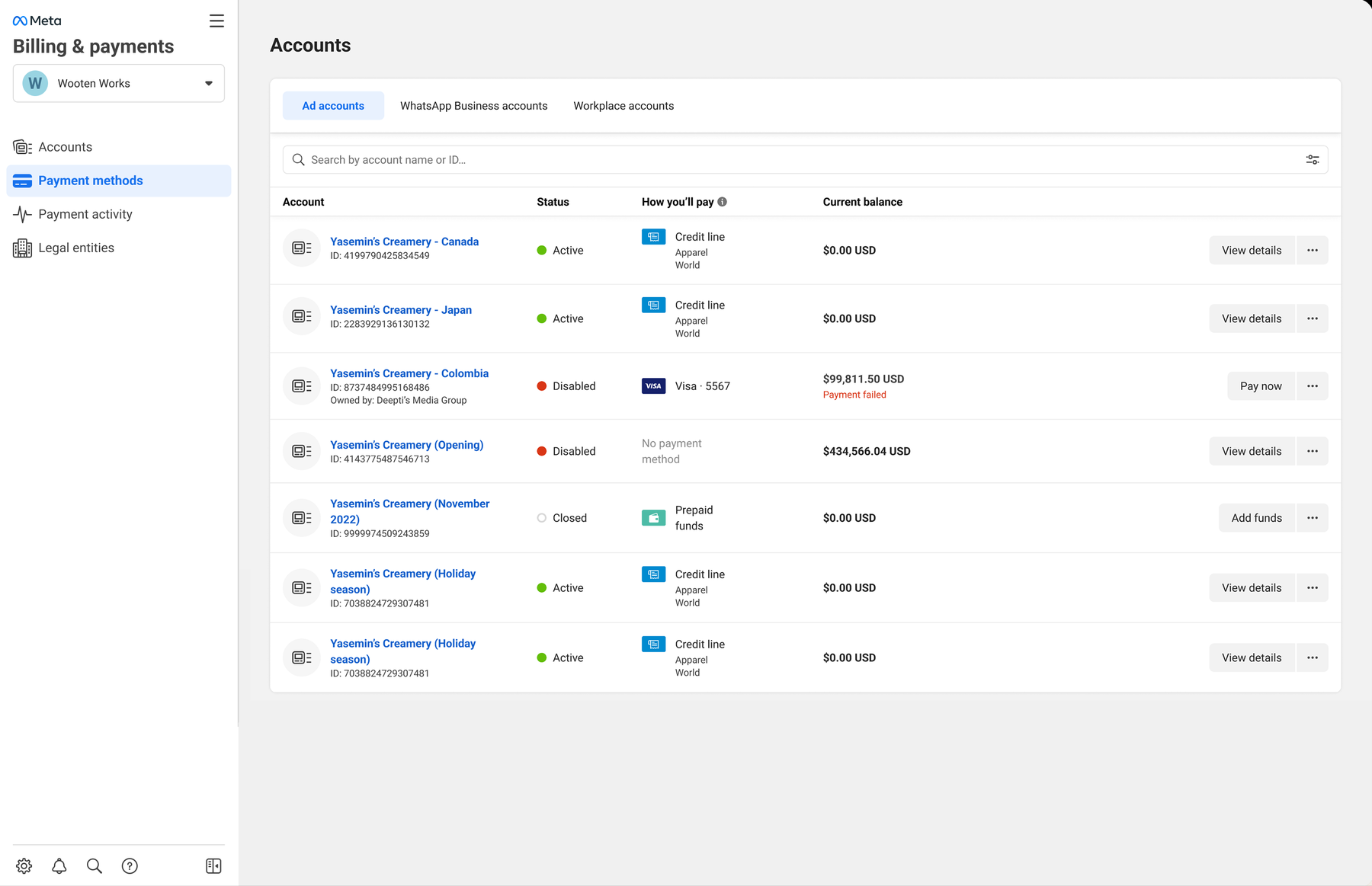
Card failures and funding gaps can pause campaigns for high-spend advertisers. Monthly Invoicing reduces that risk and the cost of card processing—a line that runs $2.46B a year and is heading toward $4.2B. Wider adoption saves at least 7.5% annually.
Where We Started
High customer value, low product access
Invitation hidden in a low-traffic area
Nine screens repeated known information
Card limits and failures could pause campaigns
The Strategy
Move upstream.
Reuse verified data.

What It Becomes
Turn collection into confirmation
Present the offer where advertisers already work
Pre-approve with existing verification records
Let customers confirm or correct verified information in three screens
Eligibility and Verification
The offer appears only after eligibility is confirmed
Advertisers must pass four checks before entering: Monthly Invoicing eligibility, business verification, legal-entity matching, and Moody’s screening. Those who qualify unlock a pre-approved experience built around guidance and information Meta already has—not another form.
What happens when the record is wrong
The three delivered screens carry the approved path. These are the paths designed around it — proposed handling, not observed operational policy.
- Stale records
- Reconfirm verification data that has passed its freshness window.
- Mismatched information
- Identify conflicting information and let the advertiser correct it in place.
- Manual review
- Show what’s under review, the expected timing, and a clear pending status.
- Failed verification
- Keep the current payment method active and explain how to become eligible.
- Inspection and correction
- Display reused information in full and make it easy to edit before submitting.
- Freshness, consent, and trust
- Explain the credit line, terms, consent, and data freshness at the point of action.
Before and After
From document collection to information confirmation
Before
9 screens to collect what Meta already held
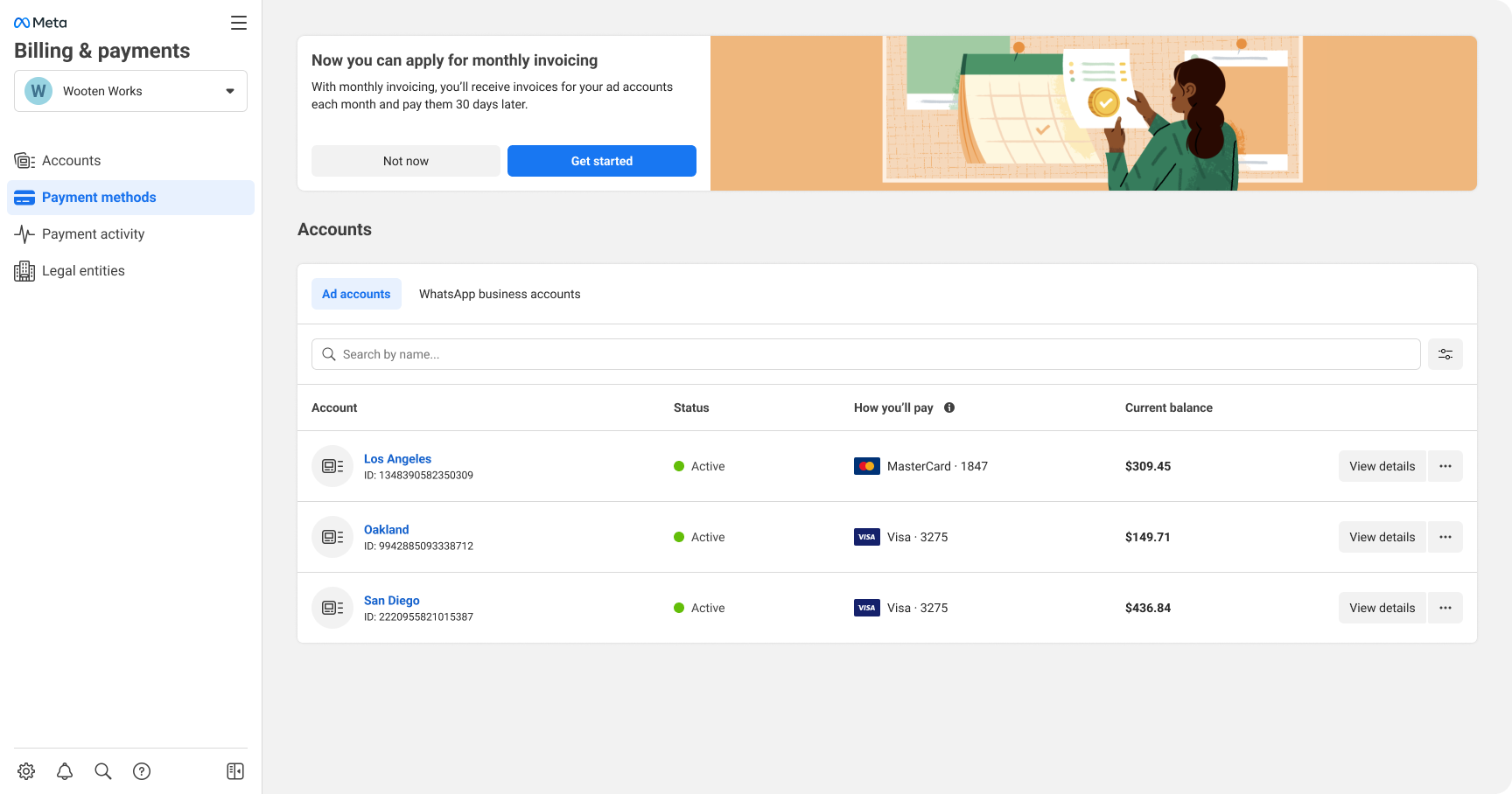
01 Banner
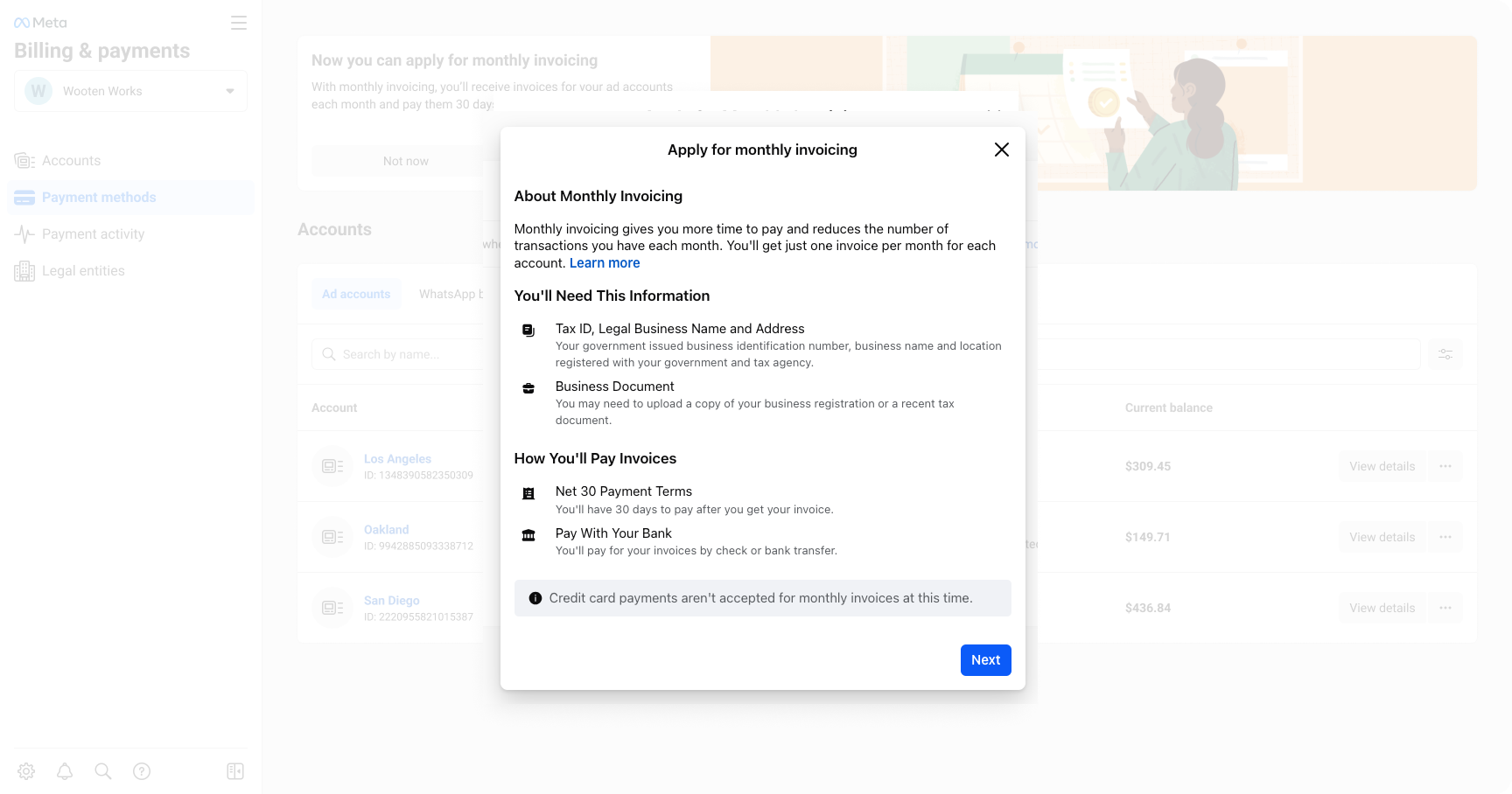
02 How it works
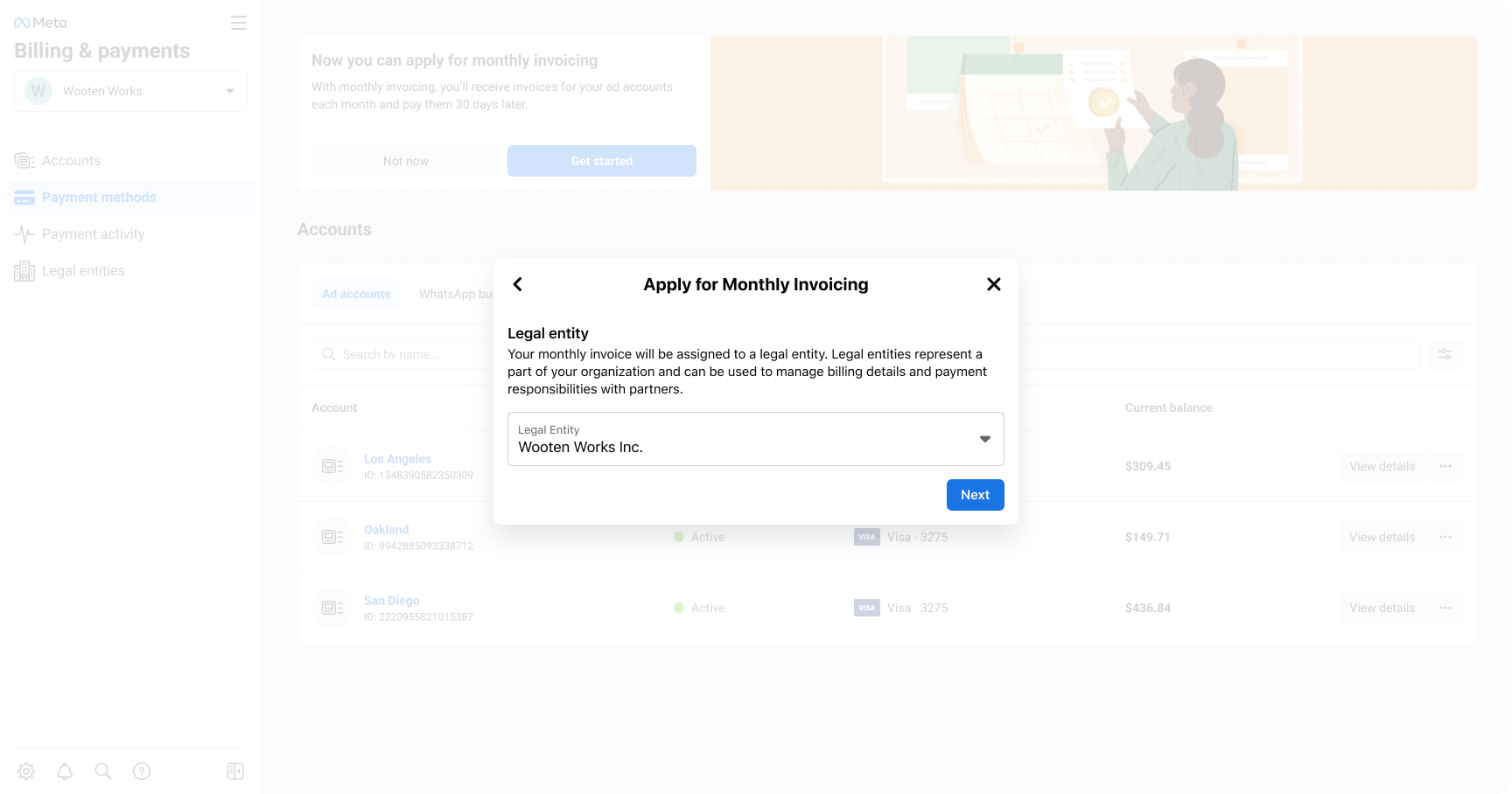
03 Legal identity
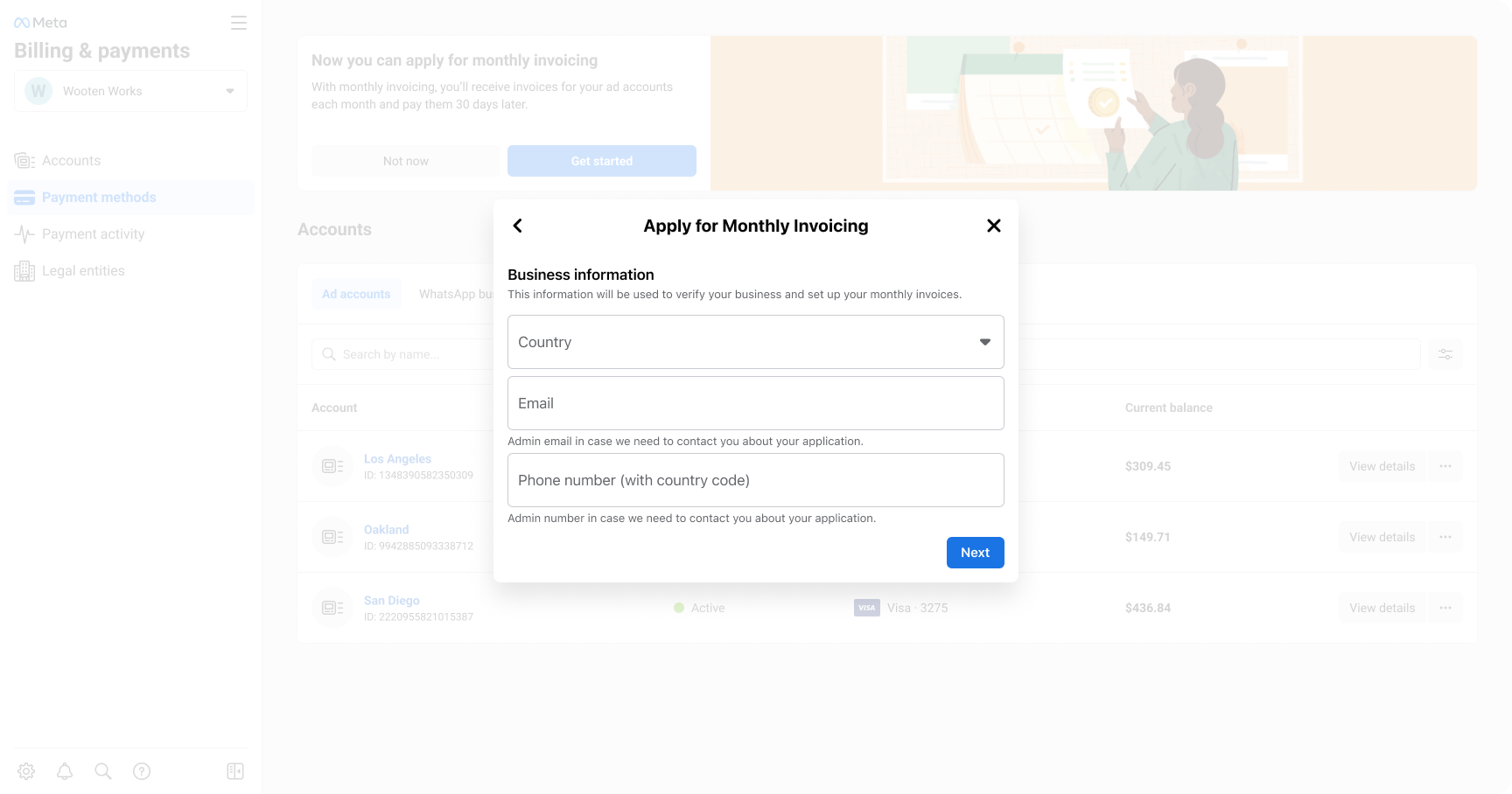
04 Business information
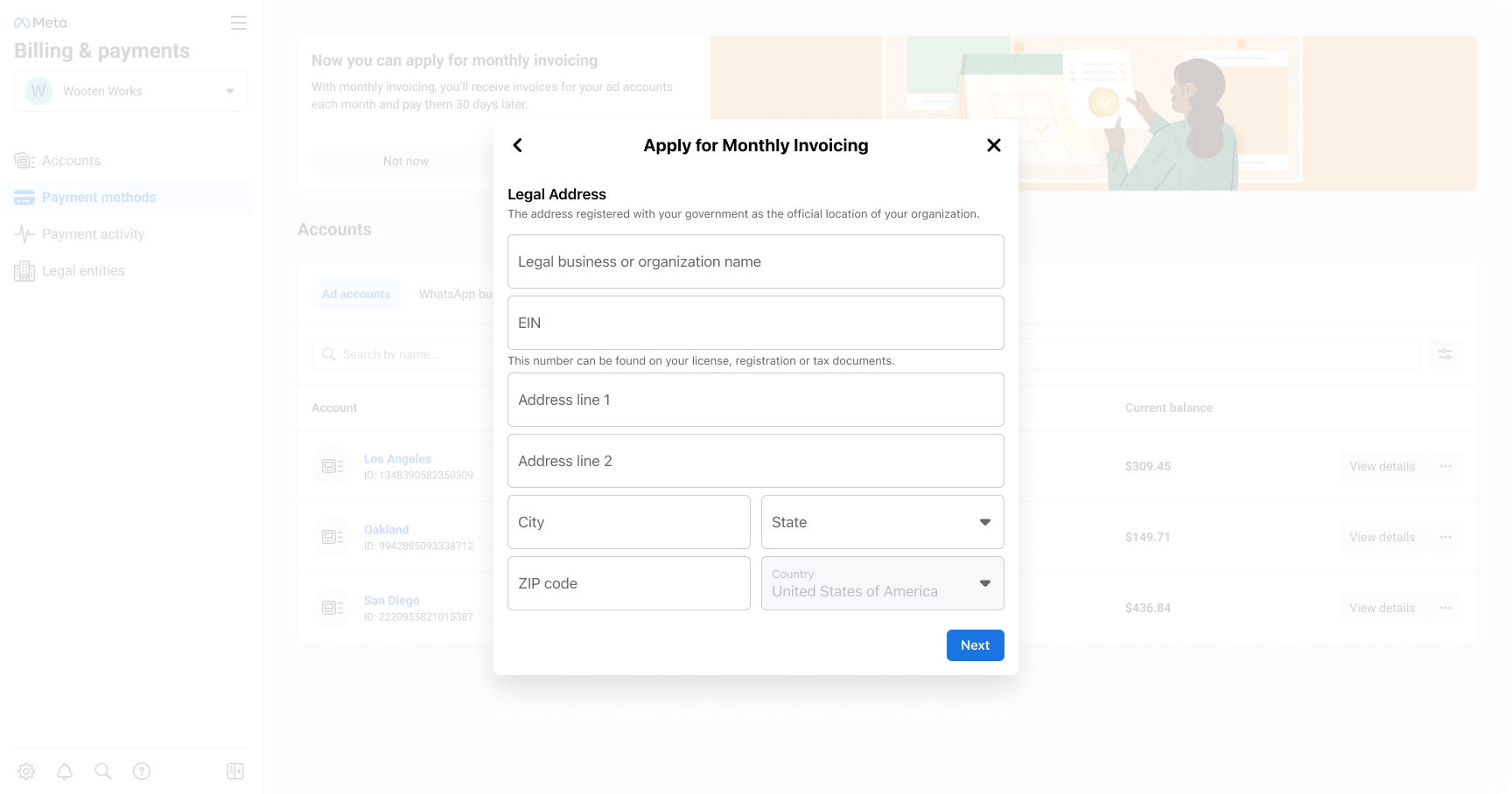
05 Legal address
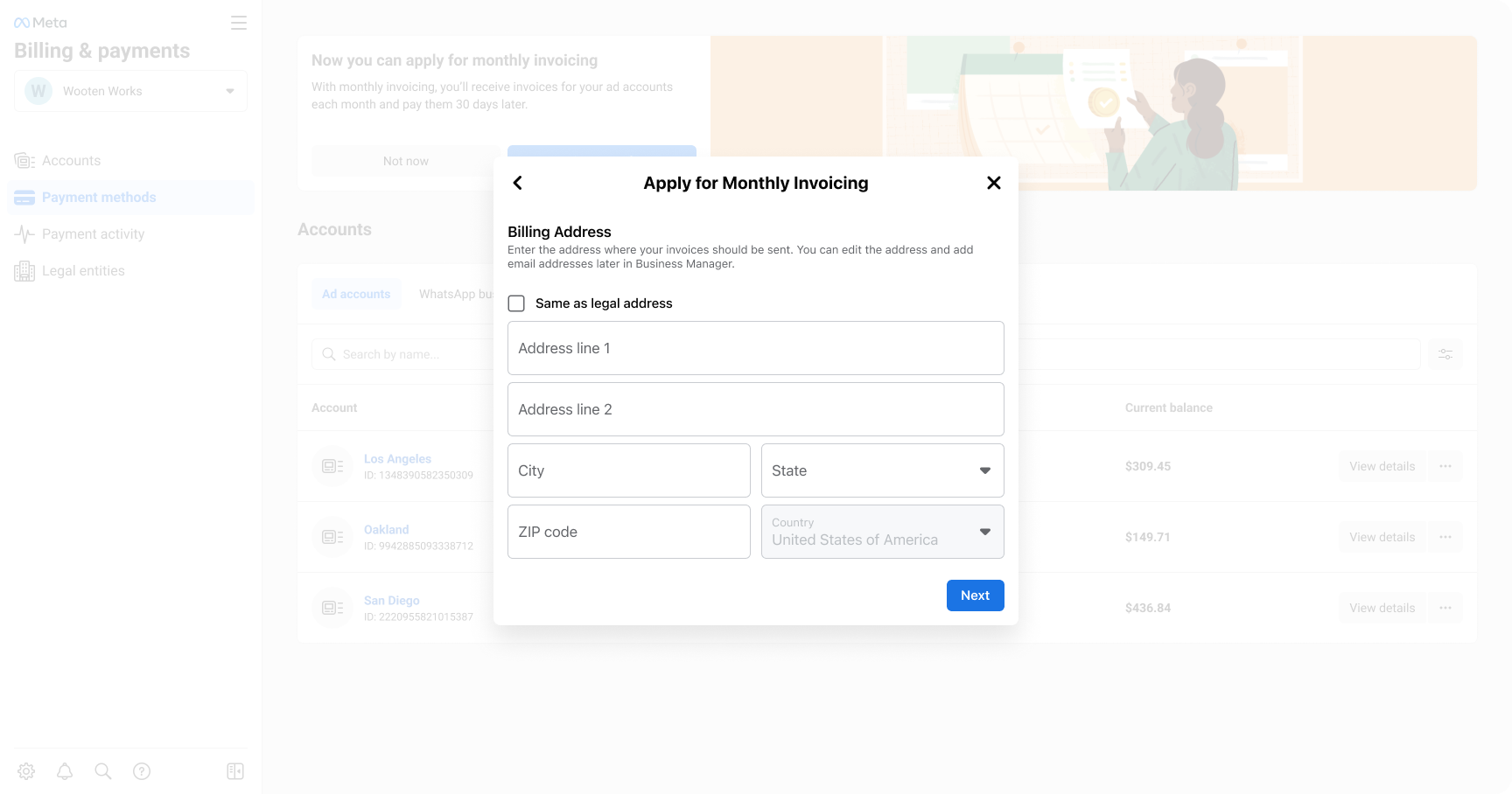
06 Billing address
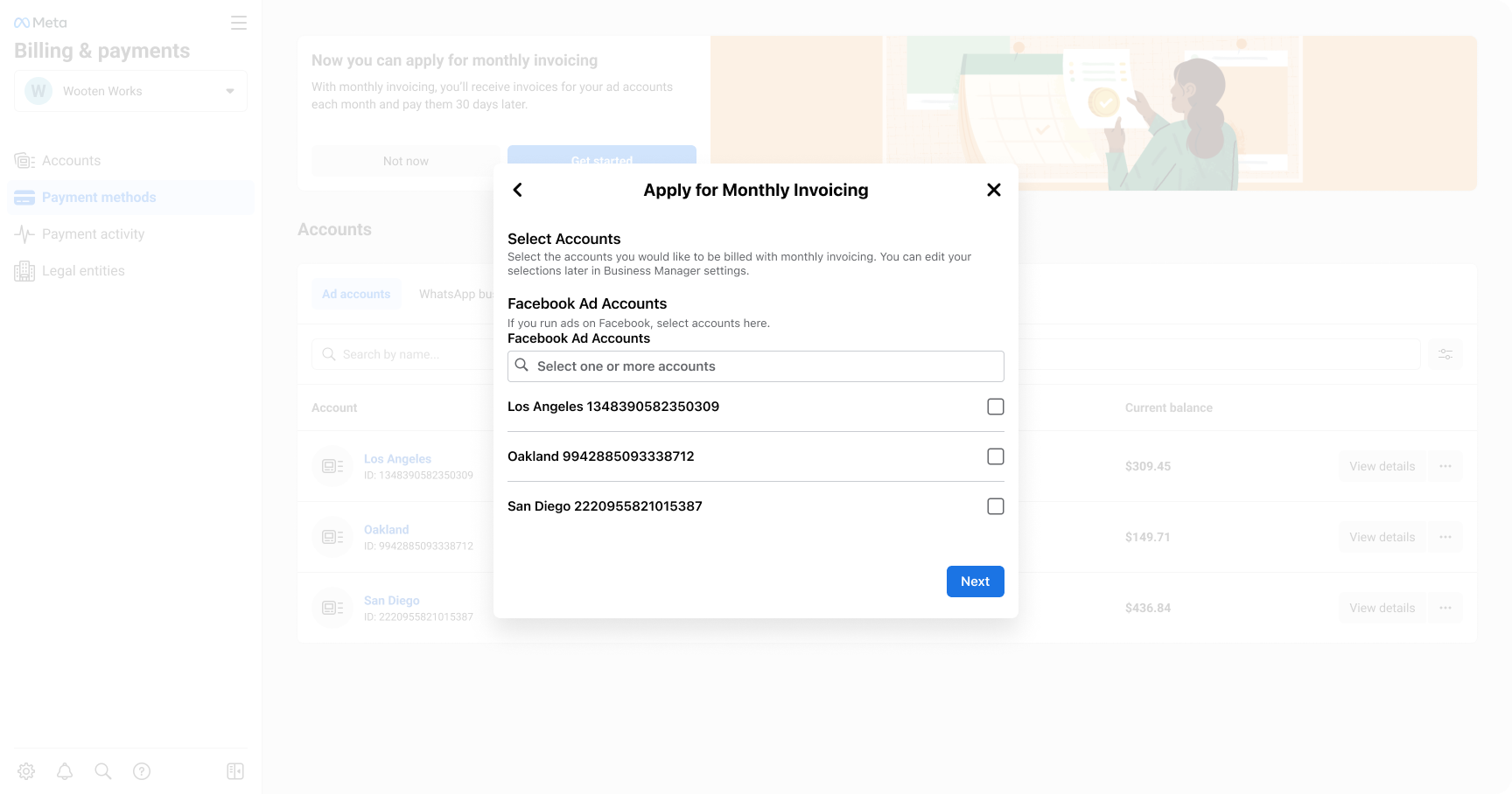
07 Add accounts for Monthly Invoicing
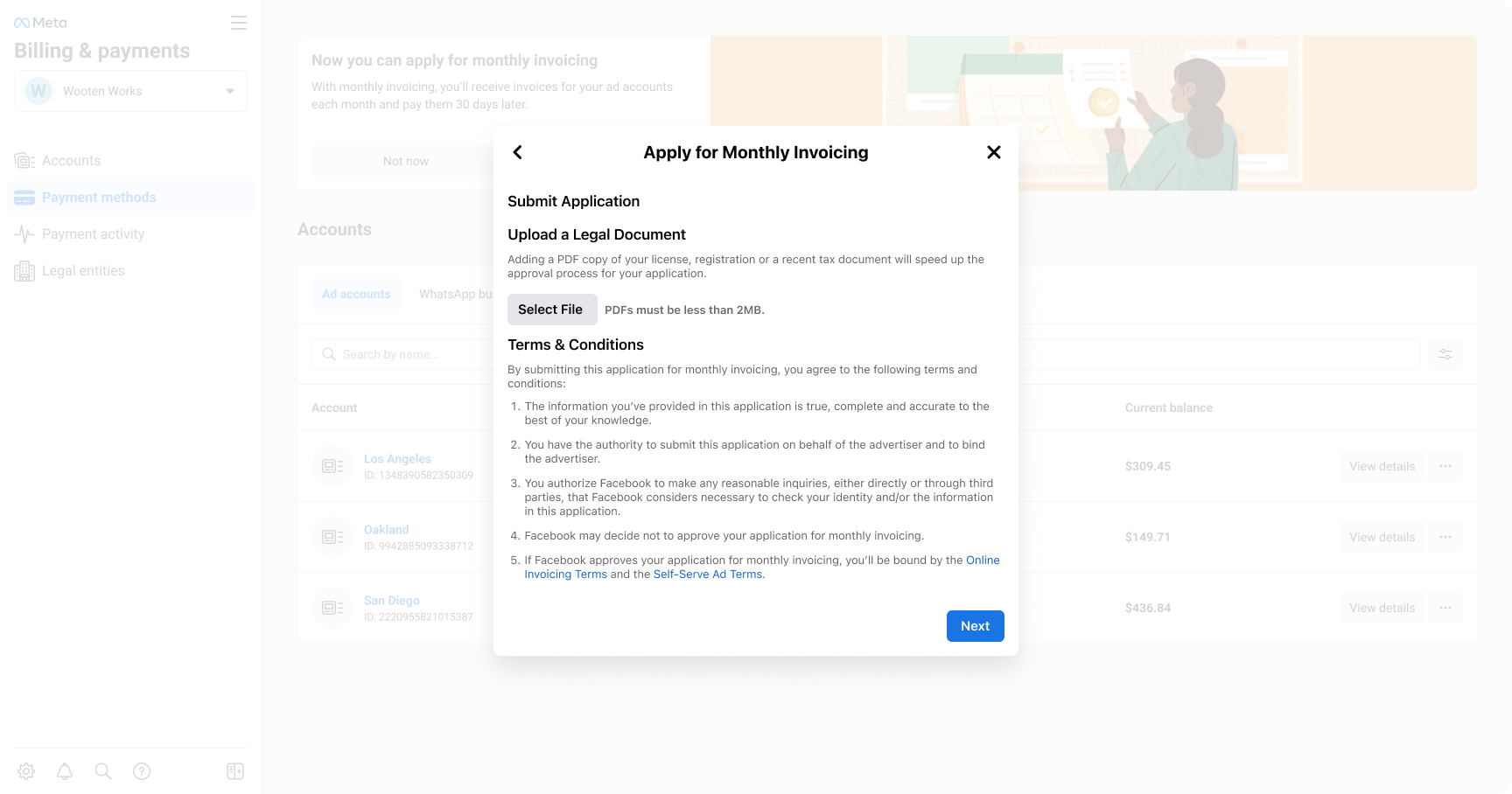
08 Upload documents
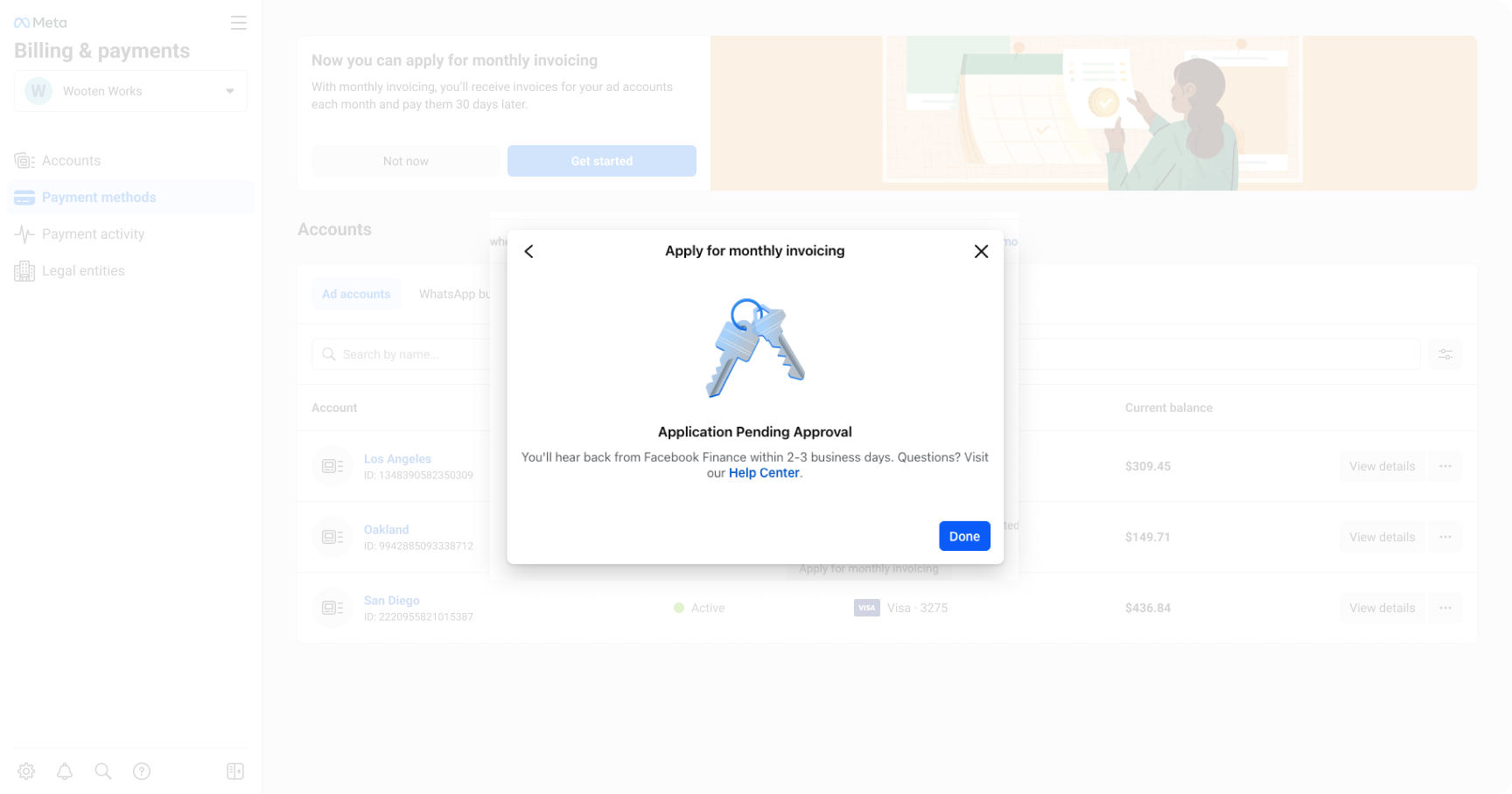
09 Application pending approval
After
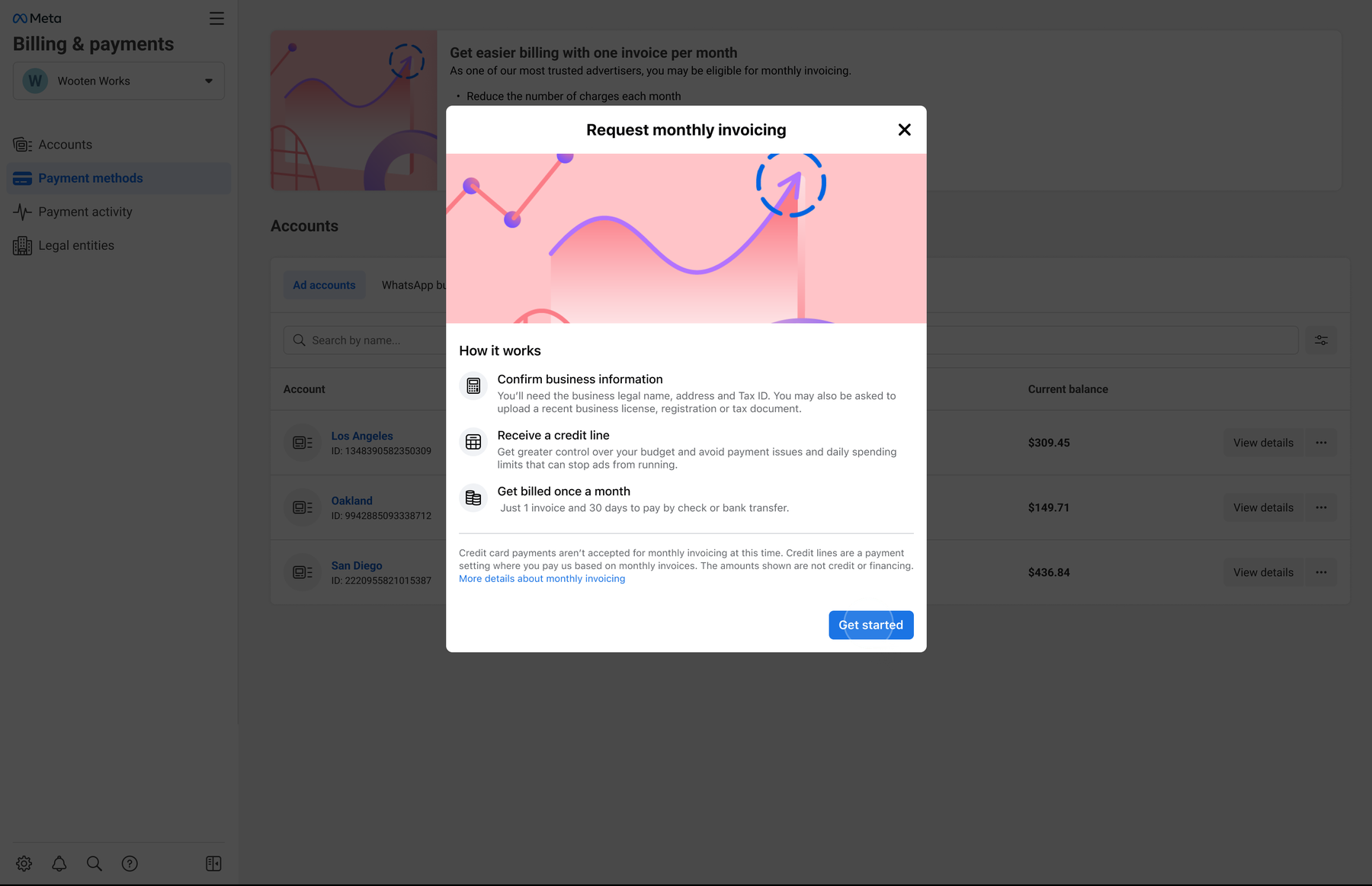
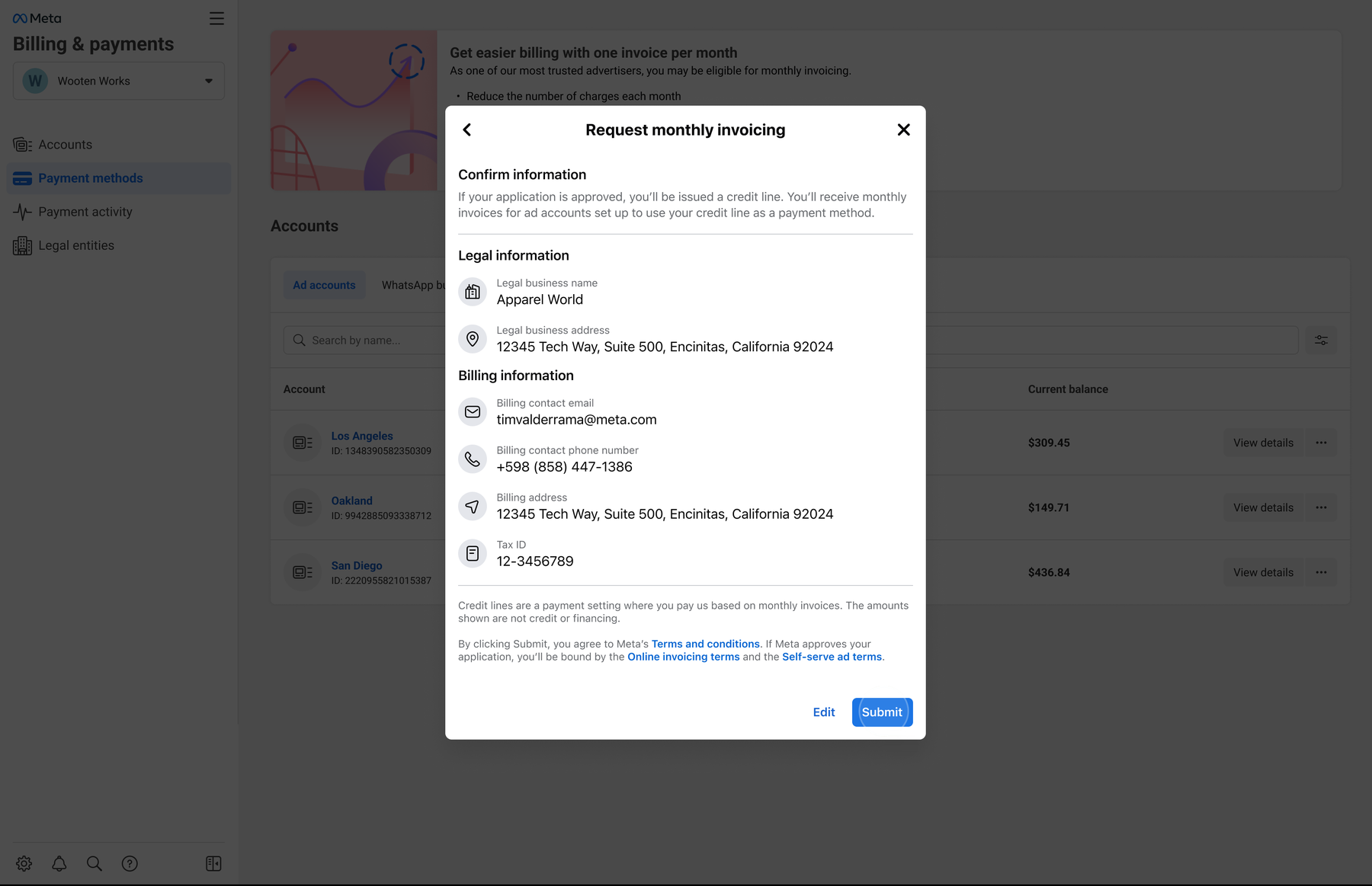
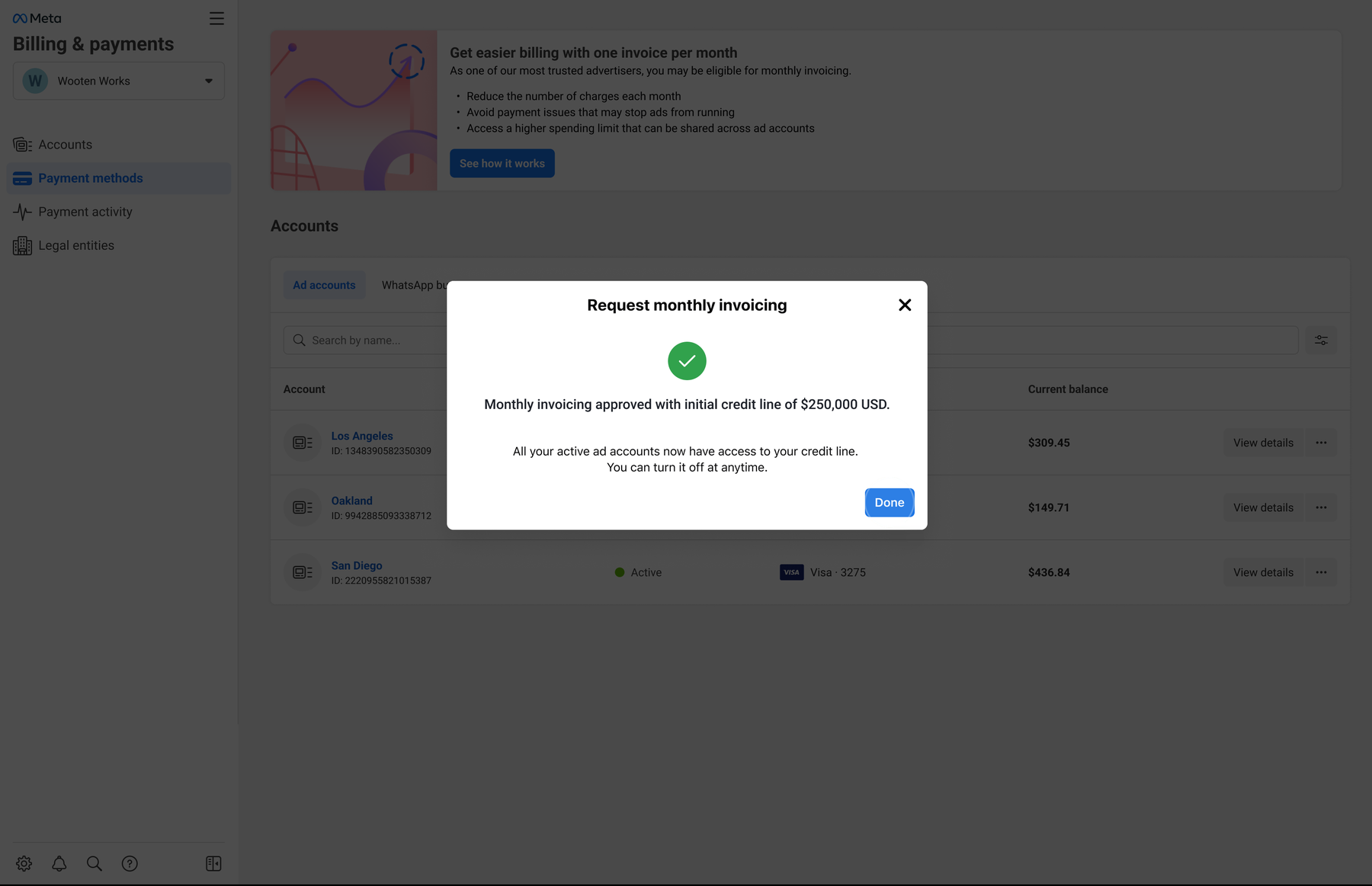
Three pages to confirm, correct, and approve
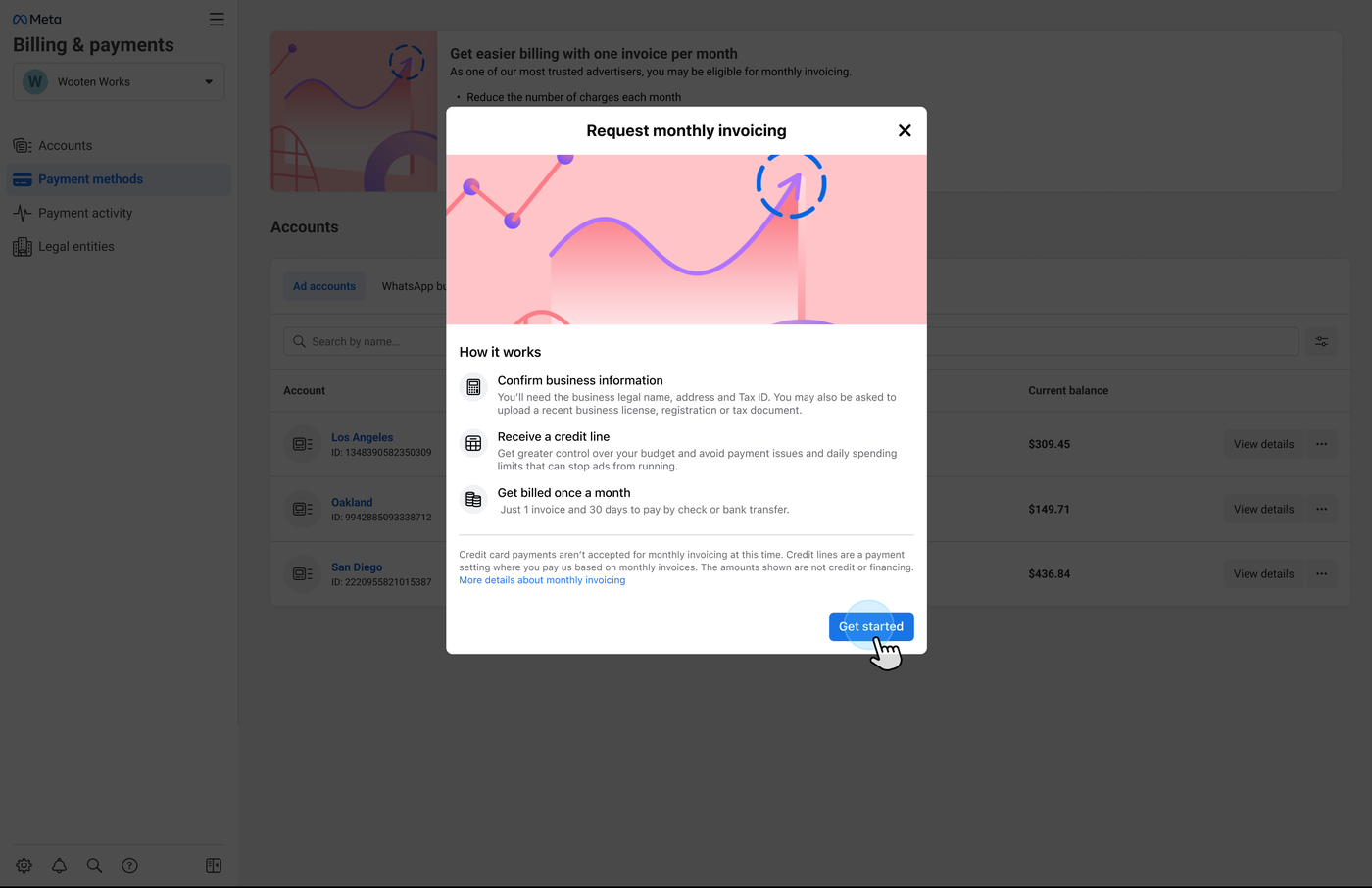
01 How it works
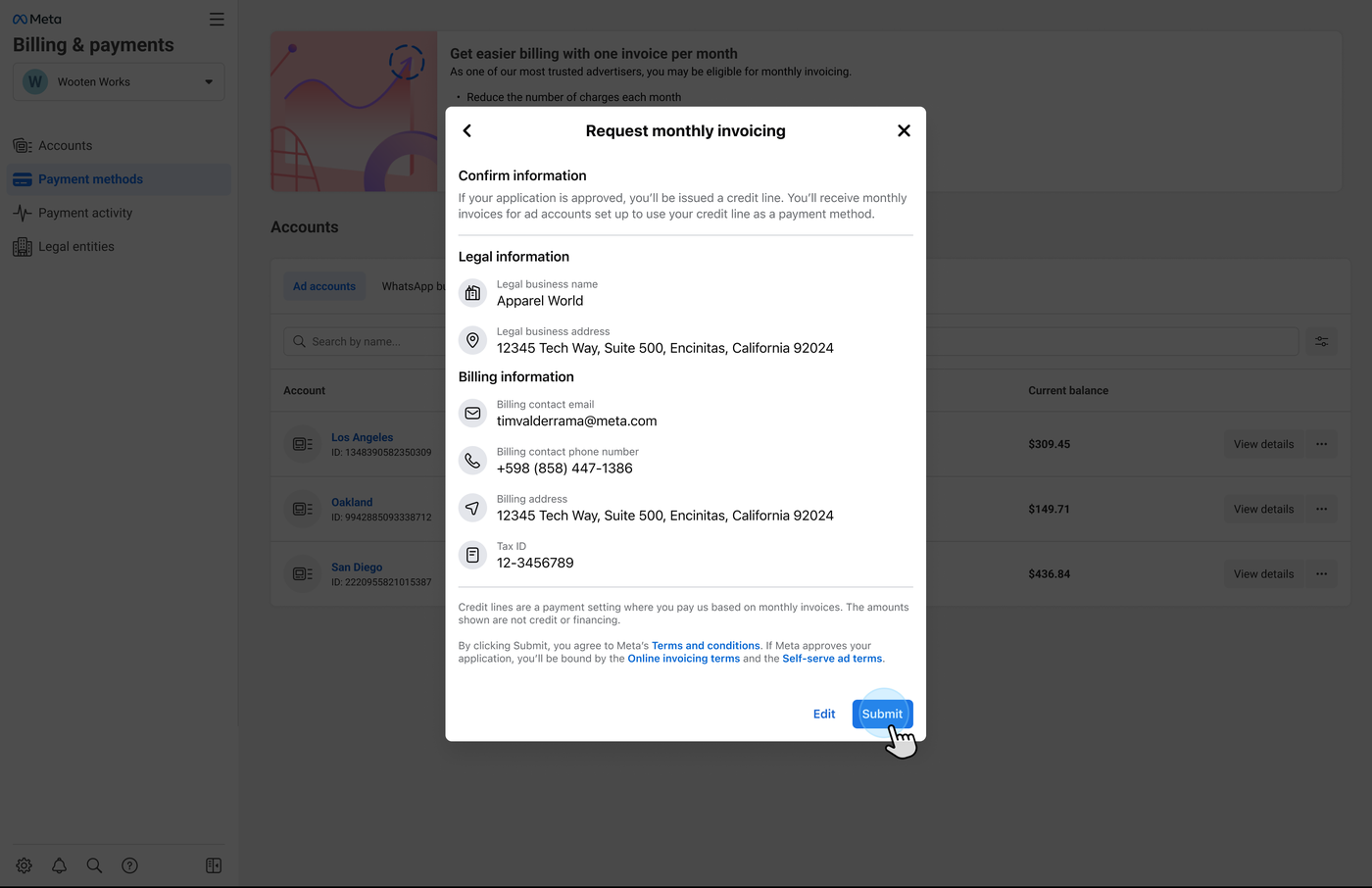
02 Confirm information
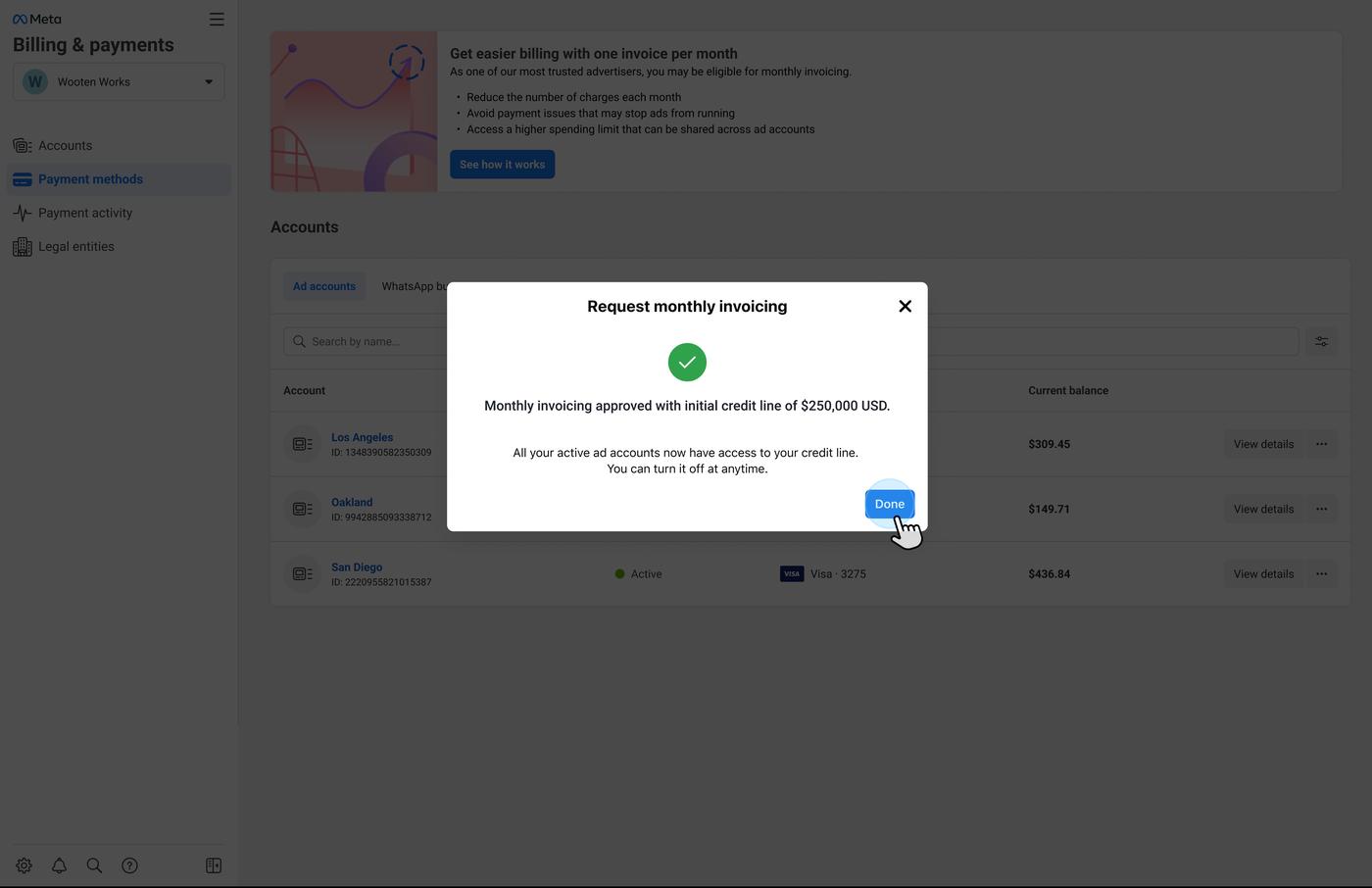
03 Approved
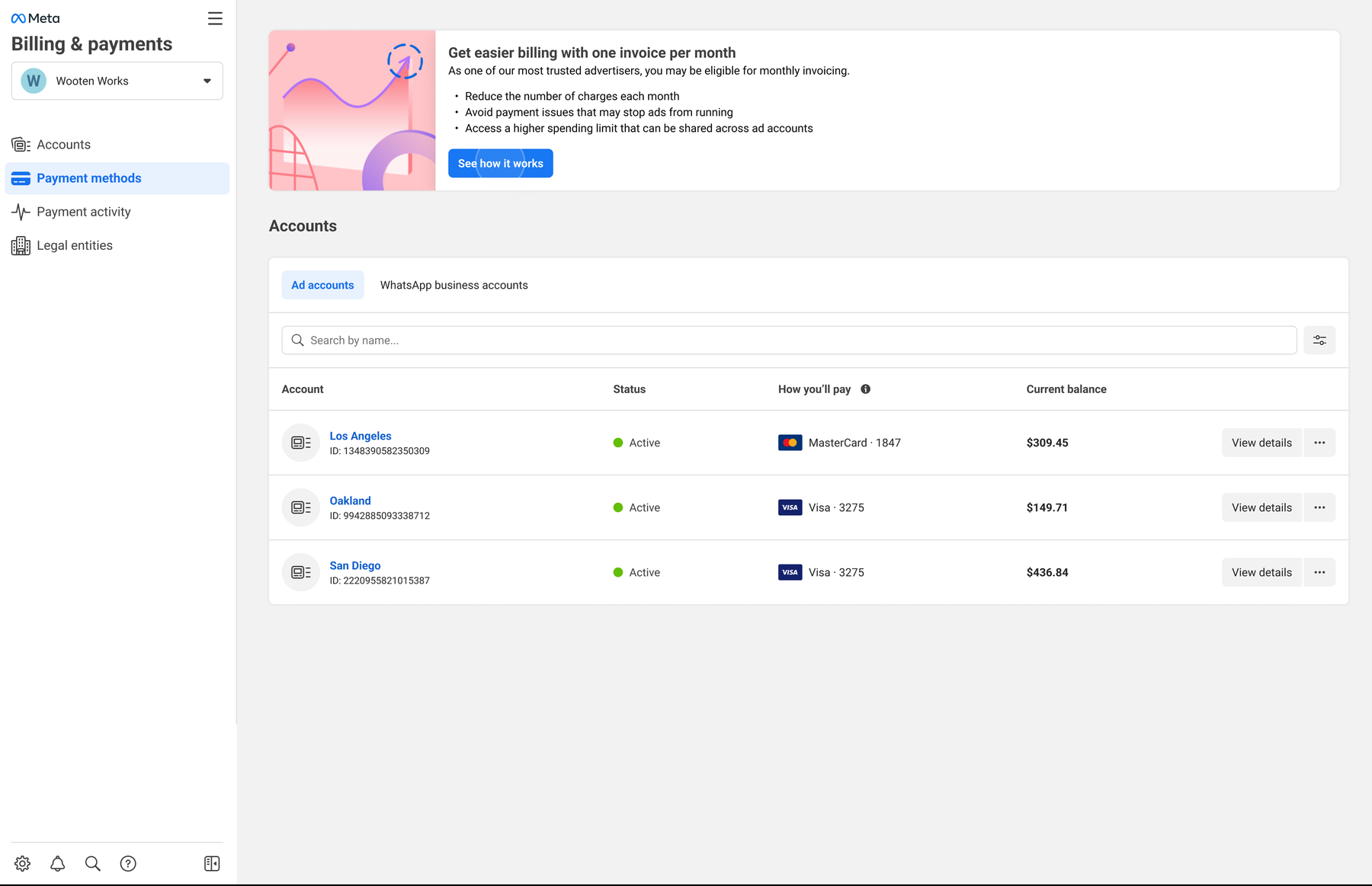

Impact
Increased enrollment = Less credit
card fees = Greater savings
Baseline
H1 2026
Expand eligibility
27% baseline → 67% H1 2026; $11M impact
Improve awareness
8% baseline → 41% H1 2026; a 33-point gain
Grow conversion
39% baseline → 97% H1 2026; a 58-point gain
Annual savings
~7.5%
Each row is a separate measure against its own pre-launch baseline, compared over H1 2026. The $11M is attributed to the eligibility expansion alone; the awareness and conversion figures are percentage-point gains, not restatements of it. Results shared by the Meta team after launch.
Behind the Work
How I led the change: one coordinated strategy across discovery and conversion
Increase Awareness
Mapped high-traffic business surfaces and the teams that owned them, built partnerships for upstream banner placement, and moved the invitation into moments qualified advertisers already frequented.
Increase Completion
Audited verified customer data and requirements with Product, Data Science, Legal, Finance, and Engineering, then reframed the flow around preapproval, prefill, and quick correction.